Search the Community
Showing results for tags 'programatically'.
Found 2 results
-
I have the latest paid version of the UniGUI. I have a TuniDBGrid that loads and displays many rows of data. It's great. There are thousands of rows and I have it set fetch all data so it scrolls from top to bottom nicely. I added a search feature. I added a TuniEdit field that I type some text into. Then I search the data grid and position the row. It all works EXCEPT that once the row is set, I have to MANUALLY scroll way down the list in order to see the selected row. Here's a snippet of code... RecNo:=UniDBGrid1.DataSource.DataSet.RecNo; UniDBGrid1.CurrRow:=RecNo; UniSession.AddJS('setTimeout(function () {'+'MainForm.unidbgrid1.getView().focusRow('+IntToStr(RecNo-1)+');}, 100);'); The code doesn't scroll the selected item into view 🙃 I found the red line after lots of searching and searching. Maybe it worked a few years ago, but it doesn't seem to do what I'm needing. Is there a way to automatically have the grid scroll the selected item into view? Thanks DAvie
-
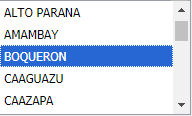
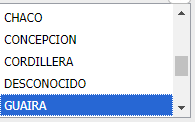
When key press over the list box (multiselect and ordered), the item is selected, but the scroll doesn´t move to that item. Ex. Press G words from the keyboard and listbox stays same as before, but, if manually scroll the list until found an item beginning with G, that item seems selected! How move the scroll programatically until the selected item?